There is a particular kind of Saturday night when the house is finally quiet, the workweek is over, and a shelf full of retro video game systems starts looking more appealing than a 100-hour open-world game. I understand the pull. I grew up with a Game Boy Advance, PS2, original Xbox, and early PC shooters, and I still enjoy returning to them. The trick is separating a genuinely good evening of play from an expensive nostalgia project.
The best retro video game systems are not necessarily the rarest or most collectible. They are the ones that start quickly, display well on a modern television, offer games you actually want to finish, and do not require an entire weekend of troubleshooting. If you have six hours this weekend, that standard matters more than whether a machine is historically important.
What makes a retro system worth buying now?
Start with the games, not the hardware. A console can look beautiful on a shelf and still be a poor purchase if the titles you remember are difficult to find or expensive to replace. Before buying, write down five games you would honestly play again. Not games you admire. Games you would load after dinner when you are tired.
Then check availability. A used Nintendo Wii can provide access to a surprisingly broad collection of GameCube and Wii games, but prices for popular first-party titles have climbed. A PlayStation 2 is inexpensive in many local listings, yet a clean console, memory card, component cable, and a few desirable games can quickly turn a $60 purchase into a $150 setup. An Xbox 360 is often cheap, but its condition and disc-drive reliability deserve attention.
The strongest retro video game systems usually balance three things: a useful library, simple setup, and reasonable hardware prices. The Super Nintendo and original PlayStation score well on library quality, but original accessories and popular cartridges can cost more than newcomers expect. The Game Boy Advance remains excellent for short sessions, especially with a brighter screen modification, though a good modded unit can cost $150 to $250.
Original hardware, mini consoles, or emulation?
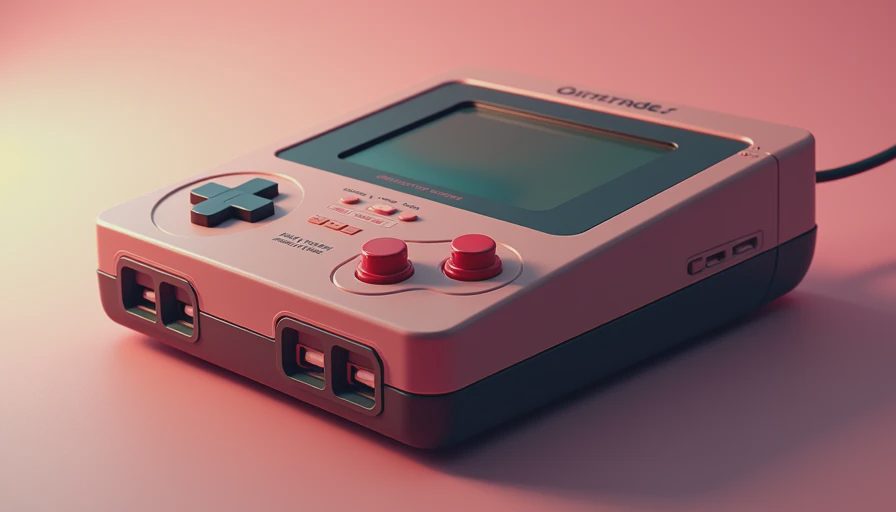
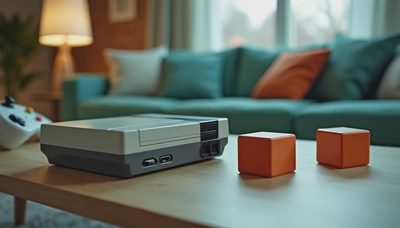
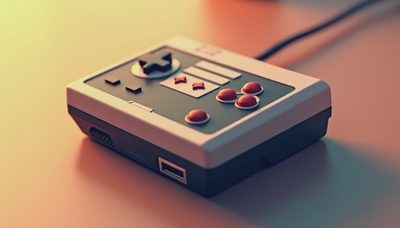
There is no moral prize for using original hardware. If a mini console gives you the games and feel you want, it is often the sensible choice. Nintendo's NES and SNES Classic systems are compact, dependable, and easy to connect through HDMI. They lack the full original libraries, but they avoid cartridge cleaning, aging cables, and television compatibility problems.
Original hardware has a different appeal. The controller feels right, the startup sound creates a small ritual, and physical games are easy to understand when you already own them. It also creates friction: old capacitors fail, disc lasers wear out, batteries leak, and composite video can look rough on a modern 4K television. A basic upscaler can cost $30 to $100, while a premium solution such as an Open Source Scan Converter is a much larger investment.
Emulation can be the most practical route when handled legally and responsibly. A laptop, Steam Deck, or small Windows PC can offer save states, display filters, fast-forward options, and controller flexibility. Those features are especially helpful for adults who remember a game fondly but no longer have patience for repeating a 40-minute section after one mistake. The experience is less tactile, but often more respectful of limited free time.
The systems I would actually recommend
For the broadest affordable starting point, I would look at the PlayStation 2. Its library covers action games, racing, role-playing games, sports, and unusual experiments. Gran Turismo 4, Katamari Damacy, SSX 3, Metal Gear Solid 3, and Burnout 3 still offer distinct experiences. The controller takes adjustment, and some games look soft on modern screens, but the variety is hard to beat.
The GameCube is a better recommendation for someone who wants polished local multiplayer and compact, focused games. Mario Kart: Double Dash, F-Zero GX, Super Smash Bros. Melee, and Pikmin 2 remain easy to understand in short sessions. The downside is cost. Popular first-party games, component cables, and clean consoles can be expensive, so a Wii with GameCube controller support may provide better value.
The original Xbox is less fashionable, which helps its prices. It has comfortable controllers if you find the smaller S model, strong racing games, and useful versions of older PC-style action titles. Halo 2 still works well for a few campaign missions, while Project Gotham Racing 2 and SSX 3 make excellent drop-in games. The dashboard and online features belong to another era, but that is not a problem if your goal is offline play.
For handheld gaming, the Nintendo DS and Game Boy Advance deserve more attention than they usually receive. A DS Lite can play both DS and Game Boy Advance cartridges, giving it an unusually practical library. Screens are small, used hinges can be fragile, and replacement chargers are common purchases, but the format fits real life. Ten minutes of Advance Wars or a short Castlevania session is easier to arrange than a full console evening.
Hidden costs that change the decision
The advertised console price is only the beginning. Budget for a controller, power cable, video cable, memory card, and at least one game. For an original PlayStation 2, a realistic starter total can land around $100 to $180 depending on condition and software. A GameCube setup can move beyond $200 quickly because of game prices and accessories. A mini console might cost $80 to $150 and require almost nothing else.
Storage matters too. Disc-based systems need a safe place for cases and a way to inspect used discs. Cartridge systems need cleaning supplies and careful storage away from heat. Replacement controllers are another trap: a $15 generic pad may work, but its analog sticks and buttons can make a precise game unpleasant. A tested first-party controller often costs $25 to $60 and is usually money better spent.
Repairs are not automatically bad. Replacing a Game Boy battery or cleaning a controller can be satisfying and inexpensive. Recapping a console or installing a video modification is a different project. If the repair becomes the hobby, that is fine, but it should be an intentional choice rather than a surprise attached to a supposedly cheap purchase.
How to choose without buying a museum piece
Use this five-step check before spending money on retro video game systems:
- Pick the games first and confirm which version you want.
- Compare the cost of original hardware, a mini console, and legal emulation.
- Decide whether local multiplayer, handheld play, or single-player campaigns matter most.
- Add accessories and two replacement games to the budget.
- Buy the option that lets you play this month, not the option that looks most impressive online.
That last step is important. A shelf full of unopened consoles is not a gaming backlog improvement. If you have limited time, a dependable HDMI device with save states can be more valuable than an authentic setup requiring a CRT television and three different adapters. The ideal retro video game systems fit your habits instead of demanding that your habits change around them.
My practical verdict
The best starting point for most adults is either a PlayStation 2, a GameCube-compatible Wii, a DS Lite, or a small emulation setup built around games you already own. Choose original hardware when the controller, display, and physical ritual are central to the experience. Choose a modern alternative when convenience will determine whether you actually play.
Retro video game systems are still worth loading, but not because every old release remains brilliant. Some games are better as memories than recommendations. Others reveal clean design, fast pacing, and ideas modern releases have forgotten. Buy for the next three evenings, not for an imaginary future collection. That approach keeps the nostalgia, removes most of the hassle, and gives you a much better chance of finishing something.
No signals yet — transmit the first.