A retro console can be a great way to recover the feeling of playing after dinner, before work, or during a quiet weekend morning. It can also become another expensive box beside the television that gets used twice. The difference is usually not nostalgia. It is whether the system fits your current time, patience, display, and favorite games.
At 38, with work, family, and a backlog that never seems to shrink, I no longer want to spend an hour configuring a menu before playing a ten-minute arcade game. I want a machine that starts quickly, feels comfortable, and makes the right games easy to reach. That is the standard I use when judging a retro console now.
What You Are Really Buying
A retro console is not just a small piece of hardware. It is a combination of software access, controllers, video output, save features, menus, and maintenance. A cheap system with hundreds of poorly organized games can deliver less enjoyment than a focused setup with 30 carefully chosen titles.
The first question is simple: what do you want to play? A Nintendo-focused player might care about Super Mario World, The Legend of Zelda: A Link to the Past, and Game Boy Advance games. Someone chasing early 3D may want PlayStation, Nintendo 64, Dreamcast, or original Xbox experiences. Those needs point toward different hardware and different compromises.
A modern mini system from Nintendo, Sega, or Sony usually offers the easiest path when its included library matches your taste. Official menus are generally clearer, controllers are predictable, and save states remove the old pressure to finish a game in one sitting. The limitation is that the catalog is fixed, and popular systems can be overpriced after their original release window.
Mini Systems, Handhelds, and Emulation Boxes
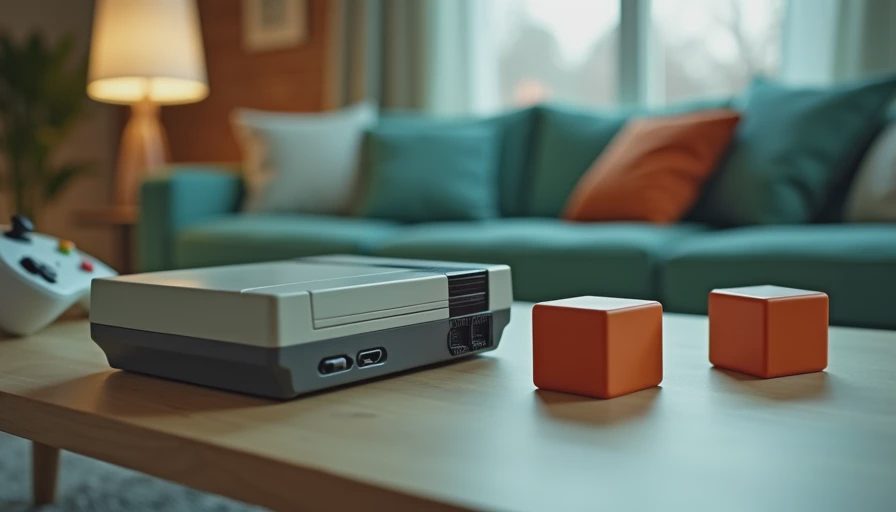
Mini consoles are best for a living-room player who wants low friction. The Super NES Classic Edition and Sega Genesis Mini are straightforward examples: connect HDMI, pick a game, and play. Their libraries are not complete histories of their platforms, but the included selections usually represent a useful starting point.
A handheld retro console changes the equation. Devices from Analogue, Retroid, Anbernic, and similar manufacturers can make Game Boy, Super Nintendo, PlayStation, and other libraries portable. They are appealing when your actual gaming time happens on the couch beside someone watching television. The tradeoff is setup. Depending on the model and software, you may need to organize legally obtained game files, adjust controls, and learn unfamiliar menus.
An emulation box connected to a television can cover more systems than a mini console, but more flexibility brings more responsibility. Performance, screen scaling, controller mapping, and front-end organization all matter. A powerful device is not automatically a pleasant device. If starting a game requires troubleshooting every weekend, the setup is working against you.
The Games That Still Feel Good
The best reason to buy a retro console is not that a game is historically important. It is that the game still communicates clearly through modern habits. Strong controls, readable objectives, short loading times, and flexible save options help older titles survive.
Two-dimensional platformers often age gracefully because their core language remains direct. Super Metroid, Mega Man X, Sonic the Hedgehog 2, and Donkey Kong Country still give you immediate feedback. Their difficulty can be sharp, but the player usually understands why a jump failed. Puzzle games such as Tetris, Dr. Mario, and WarioWare are even easier to revisit because a session can last five minutes or an hour.
Some early 3D games require more patience. Camera behavior, analog controls, blurry textures, and long introductions can make a once-beloved title feel slower than memory suggests. That does not make it worthless. It means you should choose a version with better display options, save states, or a remaster when available. Important does not always mean replayable.
A retro console earns its place when it gets you into the game quickly and gives you a reason to return tomorrow.
Original Hardware Versus Modern Versions
Original hardware has a physical appeal that software cannot completely reproduce. The shape of an original PlayStation controller, the click of a GameCube disc lid, or the weight of a Game Boy Advance can bring back a specific period of life. If that feeling is central to the experience, buying an authentic system can be reasonable.
However, original hardware also introduces costs. A used console may need replacement capacitors, a new optical drive, a different video cable, or a controller with worn joysticks. CRT televisions take space, and modern displays can make old signals look soft or strangely stretched. A complete original setup can easily cost more than a current console, especially when rare games are involved.
Modern ports and remasters are often the smarter choice for busy adults. The PlayStation 2 version you remember might run more smoothly through a current collection, while a remaster can add widescreen support, improved textures, achievements, and better saving. The new version may lose a little of the original texture, but convenience has real value when you have only a few hours available.
How to Build a Setup You Will Actually Use
Start with the television and room where you will play. If the system will live in a family room, choose a compact device with a simple interface and wireless controllers. If you will play alone at a desk, a handheld may be more practical. Do not buy around an imagined version of yourself who suddenly enjoys collecting cables and cleaning cartridges.
Next, write down ten games you genuinely want to play. Not games you feel you should respect, and not games that look impressive in a collection photo. If most of the list is from one platform, that platform should guide your purchase. If the list jumps from Game Boy to Genesis to PlayStation, a broader emulation handheld or several focused mini systems may make more sense.
Budget for accessories. A reliable HDMI cable, comfortable controller, memory card, and replacement power adapter can add $30 to $100. A cheap controller with a poor directional pad can ruin platformers, while an inaccurate analog stick can make older 3D games exhausting. The controller is part of the experience, not an afterthought.
Finally, keep the library small at first. Load or select a dozen games, arrange them clearly, and play them before expanding. Too much choice creates the same paralysis as a 300-game modern backlog.
My Honest Recommendation for 2026
For most adult players, the best retro console is the one that removes friction rather than maximizing the number of systems it can imitate. Choose an official mini system if you want plug-and-play simplicity and already like its catalog. Choose a handheld from a reputable maker if portability matters more than perfect living-room presentation. Choose original hardware only when the physical experience is part of what you are chasing.
I would avoid bargain units advertised with thousands of games, vague menus, and controllers that feel like toys. The headline number sounds generous, but a library full of duplicates, regional variants, and forgettable titles is not good value. A smaller, organized collection will give you more actual evenings of play.
The right retro console should make an old game feel available, not turn it into a weekend project. If you have six hours this weekend, pick one system, choose two games, and give them a fair test. Some classics will still earn a place in your routine. Others will prove better as a memory than a recommendation. That is useful information, and it is a better outcome than collecting hardware you never turn on.
No signals yet — transmit the first.